Tiptoeing in My Jordans AI
Two familiar faces. One mischievous barn dance. Upload your photos for a 15-second scene with music—no prompt writing needed.
Required · takes the lead
Optional · reacts from the straw
JPG, PNG or WebP · up to 10 MB each · one clear face per photo
Paid credits required. Confirmed failed generations return credits.
Photo privacy & requirements
Use your own photos or adults who agreed. Minimum 300 px per side; maximum 40 megapixels. Drafts stay in this browser tab until you submit them for generation. Photos are resized before submission. Read the privacy policy.
A reference scene, not a generated result. Your photos cast the faces; the costumes and setting follow the scene. Your result will vary.
Your video includes newly generated music.A reaction. Tiny steps. A golden finish.
Three moments from the reference. Your cast brings a new take.
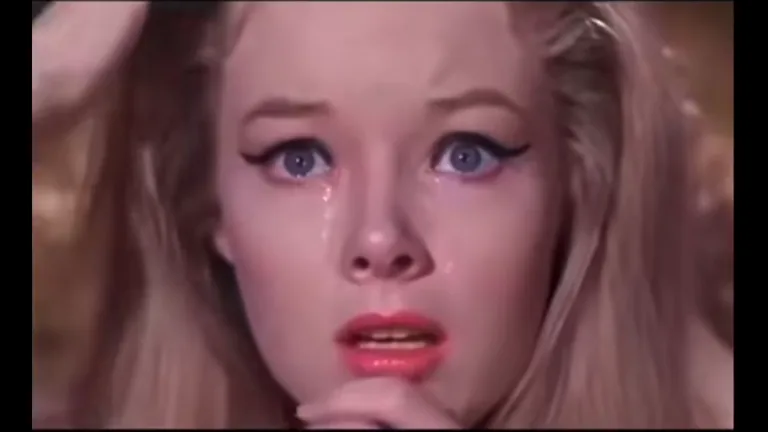
The reaction
The watcher’s close-up gives the dance its audience. A second photo casts someone you know in this role; otherwise the reference character stays.
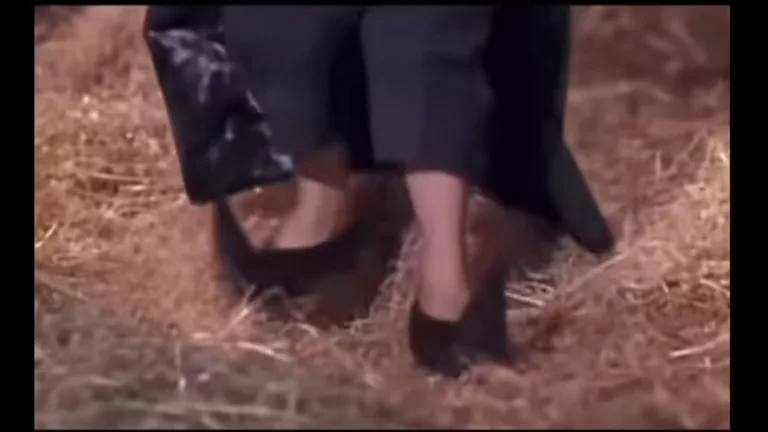
The tiny steps
The barn dance cuts between the performer and pointed shoes on the straw. Your face belongs to the character, never to a shoe-only shot.
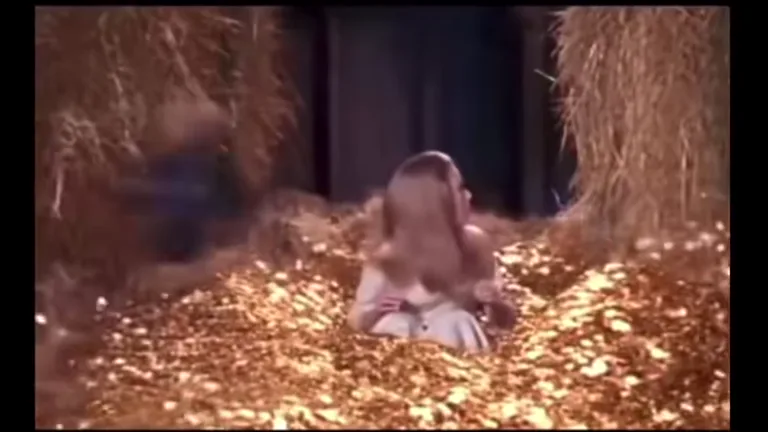
The golden finish
The scene moves toward its fantasy finale. The reference guides the cuts, lighting and setting; faces, movement and timing may vary in your take.
Cast the dance, then cast the reaction
Tiptoeing in My Jordans AI turns your photos into appearance references for a playful fantasy scene. Photo 1 plays the dancer, the character with the small steps and expressive grin. Photo 2 plays the watcher sitting in the straw. Use separate portraits to keep the two roles distinct.
You can make a tiptoe video with only the first photo. Leave the second slot empty to keep the reference’s seated character. For a two-person barn dance, add an authorized photo of a friend or partner. Changing either photo affects your next generation.
A clear face matters more than a dance pose
Choose one adult per image, facing the camera in even light. A head-to-waist or head-to-knees photo gives the face useful context. No dance pose or special shoes are needed for the barn dance. The reference supplies the costume and staging; the photos guide the people’s faces and hair.
Avoid sunglasses, masks, strong filters and hands across the face. A mirror selfie can introduce a phone or an awkward angle. A group picture makes the intended person ambiguous. For the watcher, a calm portrait is enough; the scene guides the reaction.
JPG, PNG and WebP files are accepted up to 10 MB each. Every side must be at least 300 pixels, with a maximum of 40 megapixels. Your browser prepares smaller JPEGs before submission. Use photos of yourself or adults who agreed.
Make your Tiptoeing in My Jordans video in three steps
First, add the dancer photo and an optional watcher photo. Each slot names its role. You can replace or remove either photo before starting. Tiptoeing in My Jordans AI keeps this choice separate from the preview, so watching the reference does not submit a generation.
Next, review the displayed credits and sign in. The tiptoe video duration, quality, framing and generated music are already selected. There is no prompt to copy and no model menu to work through. One or two photos cost the same for a fifteen-second barn dance.
Finally, start the barn dance and keep the job on this page while it processes. Once it finishes, preview the result and download the MP4 you want to keep. Each new generation uses credits again. Confirmed failed generations return their credits; if a job needs review, check its status before starting another request.
Check both roles across the cuts
Watch your tiptoe video all the way through before sharing. Check the opening watcher reaction, the moving dancer and the later close-ups. Each face should stay in its assigned role. Check the dancer and watcher across close-ups and wider views.
Review the barn dance footwork at normal speed, then pause around the shoe shots. Check for sliding feet, extra limbs, changing clothing and distracting faces in the straw. A recognizable first frame does not guarantee the rest of the scene. The template guides the sequence but cannot promise an exact match to every reference frame.
Tiptoeing in My Jordans AI makes a landscape clip. Keep the original 16:9 export when both characters need room. If you crop for a vertical post, check that the dancer’s feet and the watcher still fit. Add your caption after choosing the final crop, away from faces and the action.
A barn dance with its own beat
Your Tiptoeing in My Jordans video includes generated music by default. A playful instrumental beat accompanies the small steps and reactions, so you do not need to upload audio or choose a track before starting. Listen to the whole barn dance before sharing: the rhythm, instrumentation and timing can vary between takes.
The tiptoe video uses newly generated music rather than the viral recording or a clone of an artist’s voice. Exact song matching and beat synchronization are not guaranteed. You can keep the included soundtrack or replace it in your editor with music you are allowed to use. Keep the original download before editing; Tiptoeing in My Jordans AI does not publish to social accounts.
Before you tiptoe.
Do I need to upload two photos?
The dancer photo is required. The watcher photo is optional: leave it empty to keep the seated reference character, or add a second adult’s portrait to cast both roles. No prompt or extra video upload is needed.
What does Tiptoeing in My Jordans AI generate?
One 15-second, 480p, 16:9 MP4 with generated music, guided by the barn dance reference. Your images guide the assigned faces and hair; the scene guides the costumes, actions and camera cuts. Generated details and timing can vary.
Is music included in my tiptoe video?
Yes. Instrumental music is generated automatically. The reference preview is silent. Your result has a new soundtrack; review it before sharing.
Is the preview a result made with my photos?
No. It is a reference scene that you can watch before generating. Your personalized tiptoe video appears after submission. The preview does not demonstrate how a particular uploaded person will look.
Is this template free or an official branded effect?
Generation requires sign-in and paid credits, shown before you start. This is an independent template, with no claimed affiliation with Nike, Jordan Brand or the artist associated with the trend. The viral song recording is not included.