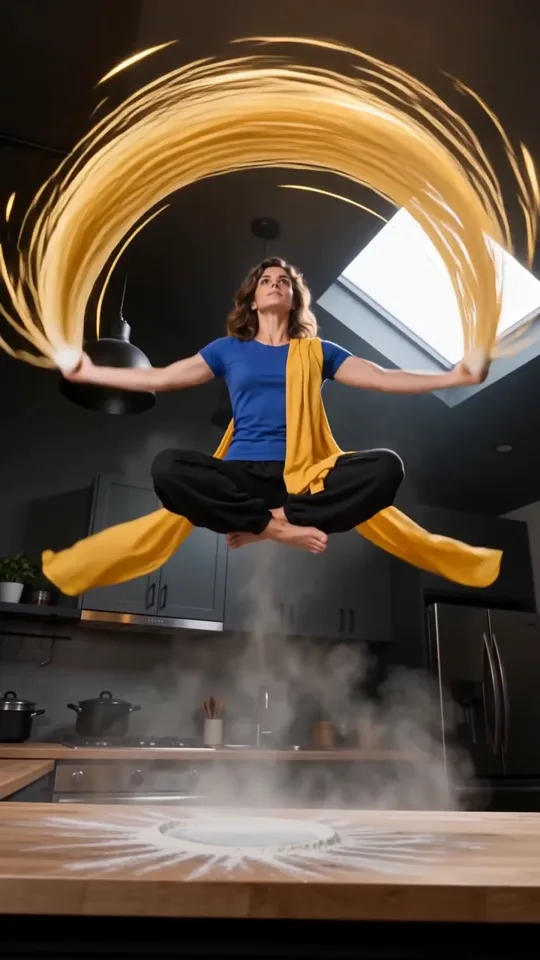
00–04 SECONDS
The noodle chef takes flight
A flour burst opens the cooking video. The chef tosses dough, rises cross-legged and sweeps golden noodles through the kitchen. Your chosen performer carries the action through the scene.
Upload one photo. Become the noodle chef in a 12-second cooking fantasy, from flying dough to a steaming bowl—no prompt writing needed.
JPG, PNG or WebP · up to 10 MB · one person, face and outfit visible
Paid credits required. Confirmed failed generations return credits.
Your photo guides the whole character, including clothing and accessories. Appearance, movement and details may vary.
Use your own portrait or an adult subject you have permission to animate. Minimum 300 px on each side; up to 40 megapixels. Your draft stays in this browser tab and is sent for generation when you submit. The photo is resized before submission. Read the privacy policy.
A flying noodle flourish. A steaming finish.
Scene inspiration, not a result from your photo. Your take will vary.The scene preview shows the intended action, from the first flour burst to the last close-up. Exact movement and ingredient details can vary.
A flour burst opens the cooking video. The chef tosses dough, rises cross-legged and sweeps golden noodles through the kitchen. Your chosen performer carries the action through the scene.
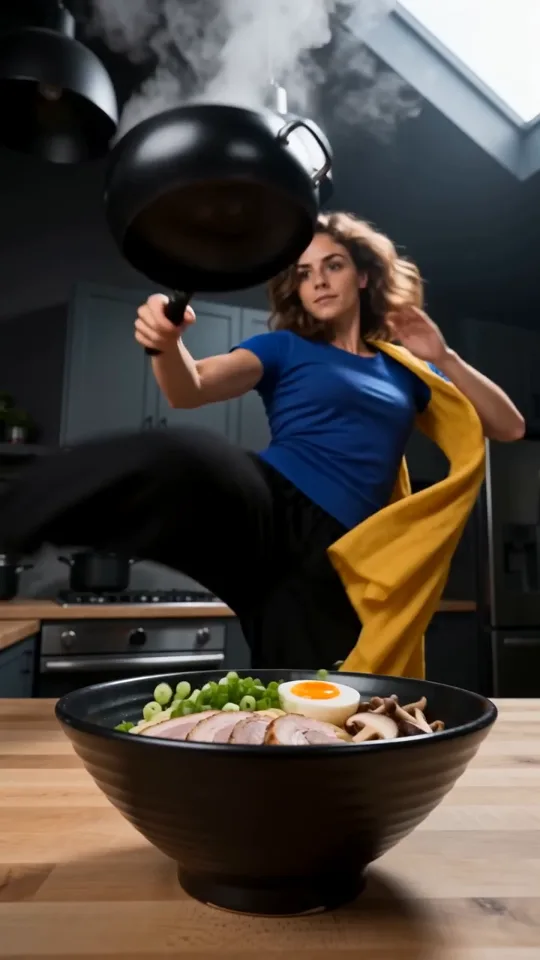
Noodles settle into a black bowl before egg and rolled meat take their turn in the air. The ramen video brings the ingredients into focus.
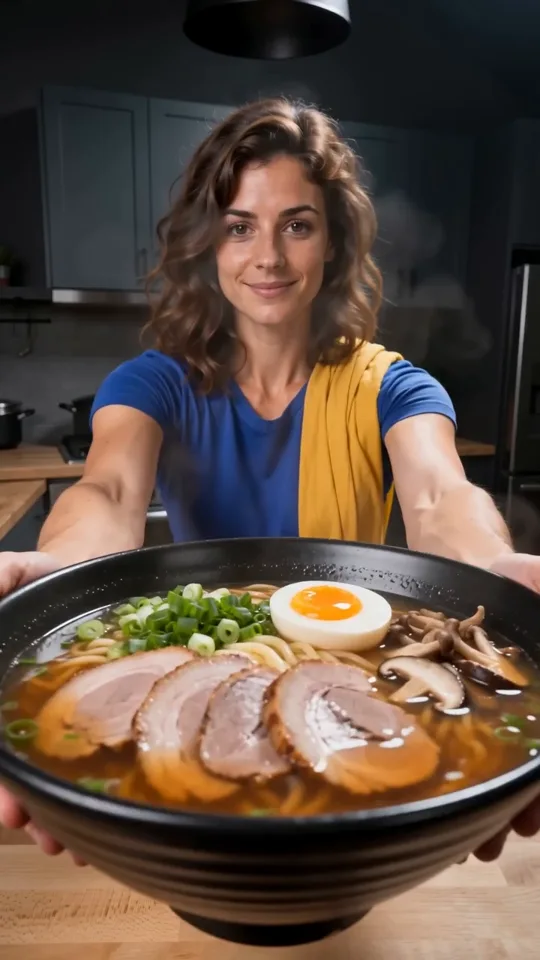
A wok flourish and amber broth pour lead into the reveal. The noodle chef offers the bowl toward the camera: steaming noodles, mushrooms, meat, scallions and a soft egg.
Start AI Kung Fu Ramen with one adult in a clear portrait. A front-facing or gently turned face, even lighting and visible shoulders give the scene useful information about your appearance.
Basic and 480p are selected for the lowest initial quote. AI Kung Fu Ramen keeps the scene at twelve seconds and in a vertical frame, so you do not need to plan shots, write instructions or choose a duration.
Sign in, check the displayed credits and submit your cooking video. The job stays available in My videos, so you can return to it later. Watch the result before downloading the MP4. Another take uses credits again.
For AI Kung Fu Ramen, use a photo with one unobstructed face and a little space around the head. Let the person fill most of the frame, with a sharp face and the outfit visible; avoid distant figures in large landscapes. Avoid sunglasses, strong beauty filters, hands covering the face and group shots, which can make the intended person less clear.
Your noodle chef follows the person in your photo, including their hairstyle, build, visible clothing, accessories and shoes. Choose a waist-up or full-body photo to show your outfit. Unseen details are completed to suit the visible clothing; they may vary.
Upload one JPG, PNG or WebP under 10 MB, at least 300 pixels on each side and no larger than 40 megapixels. The photo is prepared at a smaller size before submission. Your draft stays in this browser tab until you submit it for generation. Use your own image or an adult subject you have permission to animate.
AI Kung Fu Ramen offers Basic at 480p or 720p, and Pro at 480p, 720p or 1080p. Each choice shows its current credit quote. A higher resolution increases the frame size; it does not guarantee a closer likeness, cleaner hands or an exact recreation of every cooking gesture.
Review the ramen video quote after changing settings. You need a signed-in account and paid credits to generate, while choosing a photo and viewing the scene preview costs no generation credits. Confirmed failed generations return their credits.
AI Kung Fu Ramen is built around a short visual story: dough becomes noodles, toppings join the bowl, then the chef presents the finished dish. The preview shows the intended cooking fantasy rather than a result made from your photo. Your generation can vary in likeness, kitchen details, ingredient paths and timing.
The ramen video includes newly generated sound with an instrumental direction and cooking effects. It does not import the preview’s recording, and there is no voice recording or music upload to prepare. Dialogue and narration are not part of the scene. Listen before sharing because the soundtrack can differ between takes.
Review your AI Kung Fu Ramen take from start to finish. Check that the same person remains recognizable as the framing changes. Look at fingers near the dough, the airborne pose, feet returning to the counter and the hands carrying the bowl. Fast, overlapping actions can produce changes or imperfect anatomy.
Review the kung fu ramen bowl next. Noodles should read as strands, toppings should remain in the bowl after landing, and the broth should finish with a stable close-up. The recipe is a fantasy performance, not a cooking lesson or a demonstration to copy with hot pans and airborne ingredients.
Save the cooking video you want to keep before experimenting again. Add captions or combine clips in your usual editor after downloading. If a job needs review, keep its job ID and contact support before submitting again.
Yes. Upload one photo and the cooking scene is ready. The actions, twelve-second duration, vertical framing and sound direction are already chosen. Basic and 480p are the default; changing model or resolution is optional.
No. The preview helps you understand the intended scene. AI Kung Fu Ramen makes a new take with your photo as the appearance guide. Faces, ingredient motion, cuts and the order or timing of small details can vary; exact choreography is not guaranteed.
Yes. After submission, the job is available in My videos under the account you used to generate it. If the submission status needs review, refresh the existing job or contact support before sending another request.