Skip to content
VidMakeAI
Creator studioNative audio

YOUR PHOTO, A DIFFERENT KIND OF DANCE

Shan Shen Bu AI Dance

Turn one photo into a 6-second flash step, pet dance or skirt text reveal—with template audio.

MAKE IT YOURS6 s · 9:16

Your Words, One Dramatic Reveal

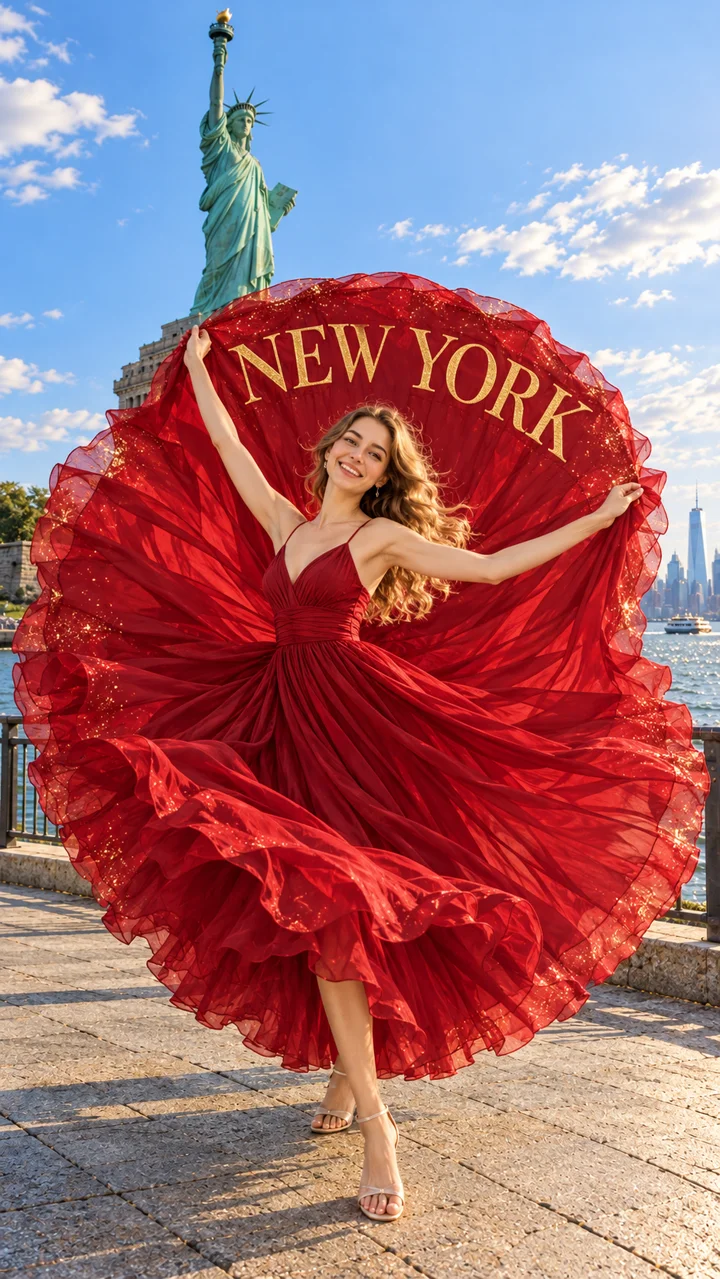
Spin a flowing performance skirt into a giant fabric disc and put your words on the fabric.

Only one photo is required.

JPG, PNG or WebP · up to 10 MB each

Your likeness, in a flowing performance costume. This style changes your outfit.

Original template audio6-second vertical video

Use your own photo or an adult who agreed; for pets, your own cat or dog. Paid credits required. Confirmed failed generations return credits.

Illustrated woman performing a red skirt reveal near the Statue of Liberty
STYLE CONCEPT · Skirt text reveal

Illustrated scene. Your photo creates a new performance; results will vary.

ONE PHOTO. THREE CREATIVE DIRECTIONS.

Find Your Shan Shen Bu Style

Shan Shen Bu AI Dance turns one clear photo into a short vertical dance video. Choose the classic sideways flash step, let your cat or dog try the moves, or make a skirt reveal with custom text. The skirt style is a creative variation, separate from the classic routine. No dance recording or prompt writing is required.

Compare the three dance styles
StyleWhat your video doesPhoto to use
Skirt text reveal A turn opens a flowing skirt into a wide fabric disc with your custom text. Your outfit is adapted into a performance dress, guided by its palette and style.One adult, head to feet, with a clear face.
Classic flash step A sideways dodge, a quick return and a playful kick. The performer follows your face, hair, original outfit, accessories and footwear.One standing adult with both feet visible and room around the arms.
Pet flash step Your cat or dog takes an upright stance for small sideways moves. The dance video follows the animal’s own muzzle, ears, fur and markings.One cat or dog, whole body visible, with clear paws and a recognizable face.

How to make your dance video

  1. Choose a style and add one photo

    Select the Shan Shen Bu variation above, then upload a JPG, PNG or WebP up to 10 MB. A clear full-body photo gives the dance video more information than a tightly cropped selfie.

  2. Make the details yours

    For a skirt reveal, enter your custom text or leave the words empty. Open the optional creative note for a setting, outfit or lighting request. Basic and 480p are selected initially; changing the model or resolution updates the displayed credit quote.

  3. Create, review and save

    Sign in and confirm the quote to create your dance video. Keep this page open while skirt lettering is saved. Return to your saved job if finishing is interrupted; resuming does not create another generation charge.

Make the Reveal Yours

Make the Skirt Reveal About Your Words

Short custom text is easier to read during a moving skirt reveal. Try NEW YORK for a travel clip, GO TEAM for a celebration or MY MOMENT for a personal post. Use up to 16 characters, including spaces and simple punctuation; longer phrases may wrap into two lines. Check spelling before creating the dance video. Clear the field for a skirt reveal without lettering. The dress can follow your photo’s colors; it need not be red. Likeness, fabric shape and movement can vary.

Let Your Photo Guide the Setting

A clear photo background with room to dance is preferred when no location is specified. Cramped or obstructed surroundings may be replaced. For a skirt reveal, custom text can suggest a new setting: NEW YORK points toward a city scene, while MY MOMENT does not name a place. A creative note such as “Keep my photo’s background, use a flowing blue dress, and add sunset light” takes priority. The selected dance stays the same.

Give the Dance Room to Move

Choose an evenly lit photo with one subject and an unobstructed face. Leave space above the head and around the arms, legs and skirt. For classic Shan Shen Bu, a standing head-to-feet photo helps preserve the outfit and gives the kick room to read. For a pet dance video, show the animal’s paws, tail and fur pattern where possible. Avoid overlapping people, hidden feet or furniture across the body. A sharp photo helps, but likeness and anatomy can still vary in the dance video.

Know What Your Short Video Includes

Every dance video is 6 seconds in vertical 9:16, with the supplied template soundtrack at its original pitch and pace. Preview the sound before creating; it ends with a brief quiet tail. Basic supports 480p and 720p; Pro also offers 1080p when available. The exact quote appears before submission, and paid credits are required. The previews are illustrated style concepts, not generated result examples. Review the finished dance video before sharing, since movement, clothing and likeness may vary.

Before you make your dance

What is Shan Shen Bu AI Dance?

Shan Shen Bu (闪身步), also called the “dodge step,” is a movement from Chinese folk dance. This tool offers a short classic interpretation, a pet version and a separate skirt reveal with custom text. It does not reproduce a complete teaching video.

CGTN’s introduction to the dodge-step trend
Do I need to wear a skirt in my photo?

No. The skirt reveal adapts your outfit’s palette and style into a flowing performance costume. Your face, hair, skin tone and build guide the performer. Classic flash step follows your original outfit instead, so check the selected style before generating.

Can I choose the background or outfit?

Yes. Add an optional creative note with a location, outfit or lighting request. Without a note, a suitable photo background is preferred. If it lacks room for the dance, a new setting draws on your photo and any skirt-text theme. The selected dance remains part of the result.

Can I change the words on the skirt?

Yes. The skirt style accepts up to 16 characters of custom text, including spaces and simple punctuation. Short phrases suit the skirt reveal best. Clear the field to create without words. For lettering, use a supported browser such as Chrome or Edge and keep the page open until saving finishes.

What happens if a generation fails?

Confirmed failed generations return the charged credits. A completed dance video can still vary in likeness, anatomy or movement. If custom text finishing is interrupted, resume the saved job instead of starting another generation. Contact support with the job ID if the submission needs review.

Can I use another person’s photo?

Use yourself or an adult who agreed to appear; for pet flash step, use your own cat or dog. Your dance video stays in your account until you choose to download or share it. The privacy policy explains how uploaded photos and creative notes are processed.